Interactive Fretboard Map

Guitar Vista rewires how you see the fretboard.

Guitar Vista - Master Chords, Scales, and the CAGED System.

Guitar Vista transforms the entire fretboard into an interactive, customizable visual map that helps you learn faster, practice smarter, and play with confidence. Use the Zone + Layer system to build personalized fretboard views that match your playing style, practice goals, or preferred learning approach.

Zone + Layer system Isolate scales, chords, and arpeggios.
MusicXML ready Import Guitar Pro, MuseScore, and more.
Staff + TAB editor Write riffs and build progressions.

Inside the Guitar Vista workspace

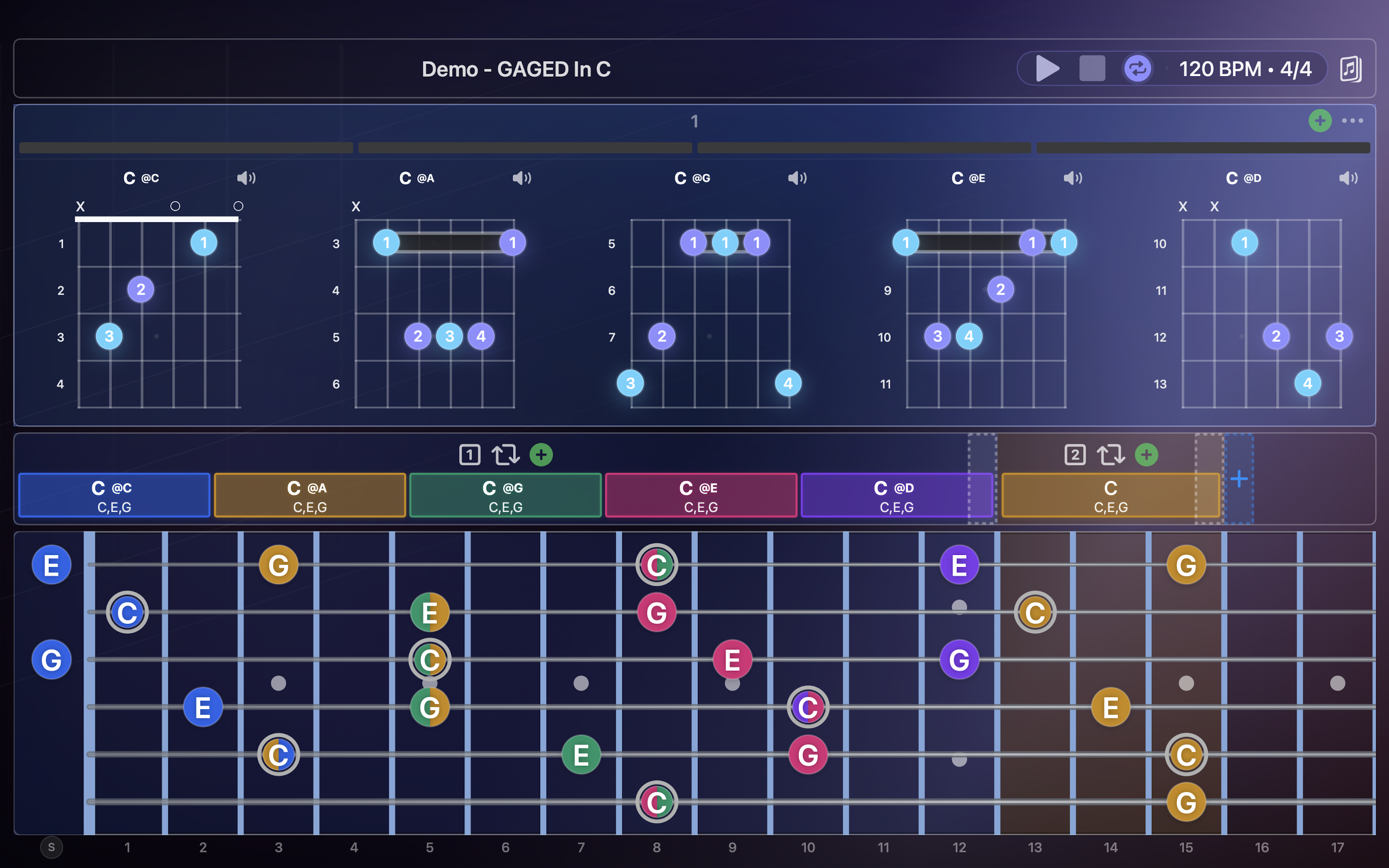
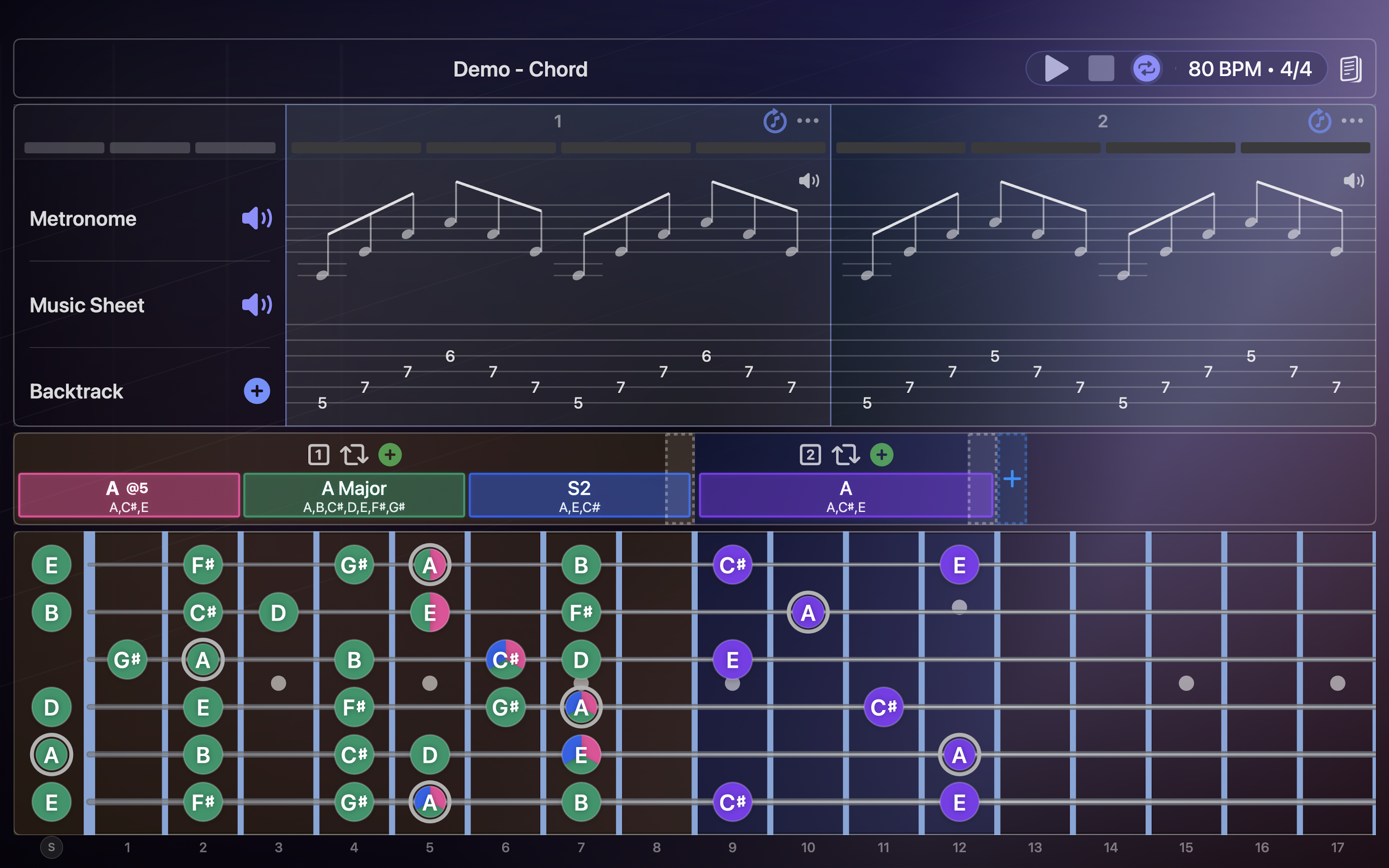
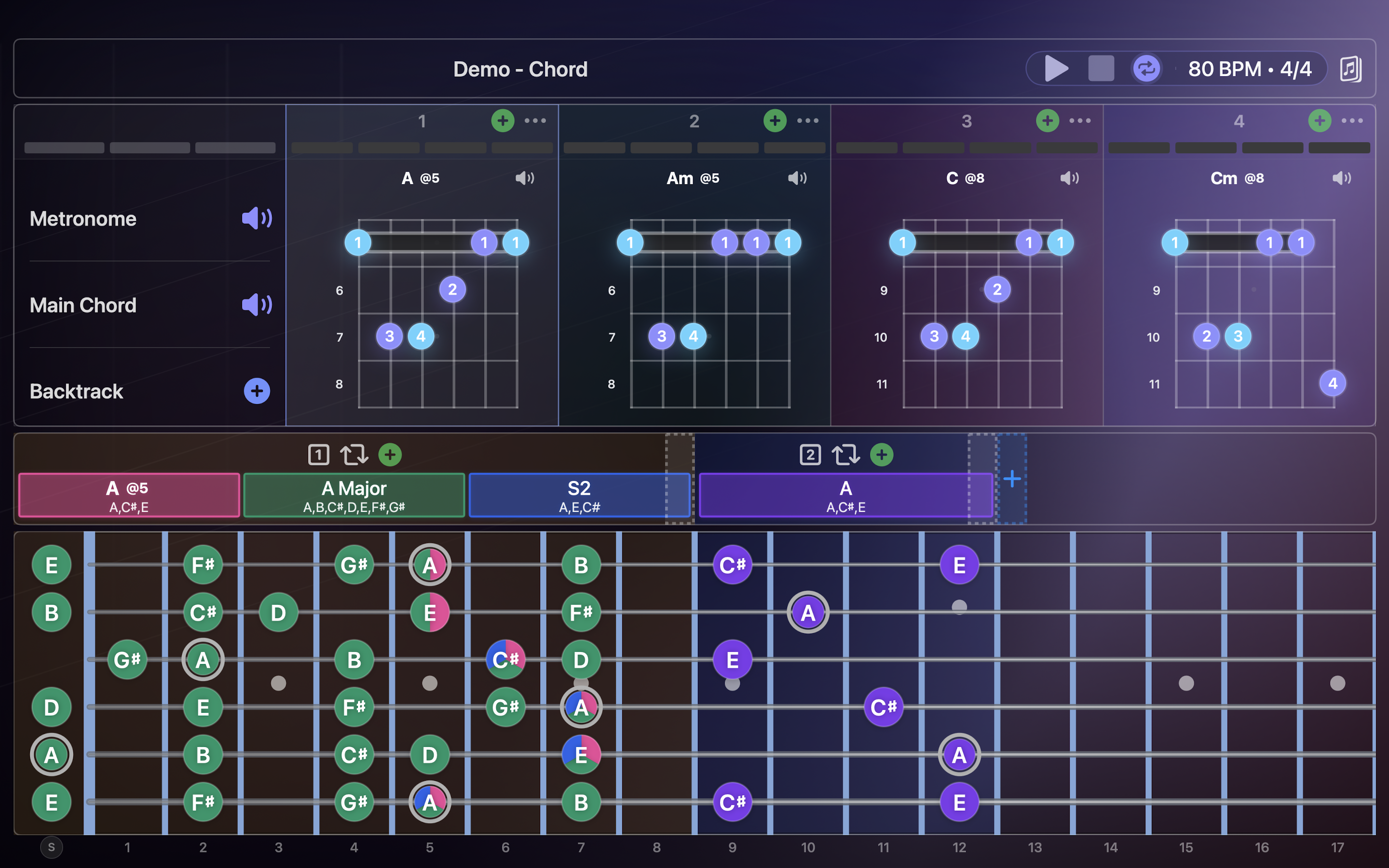
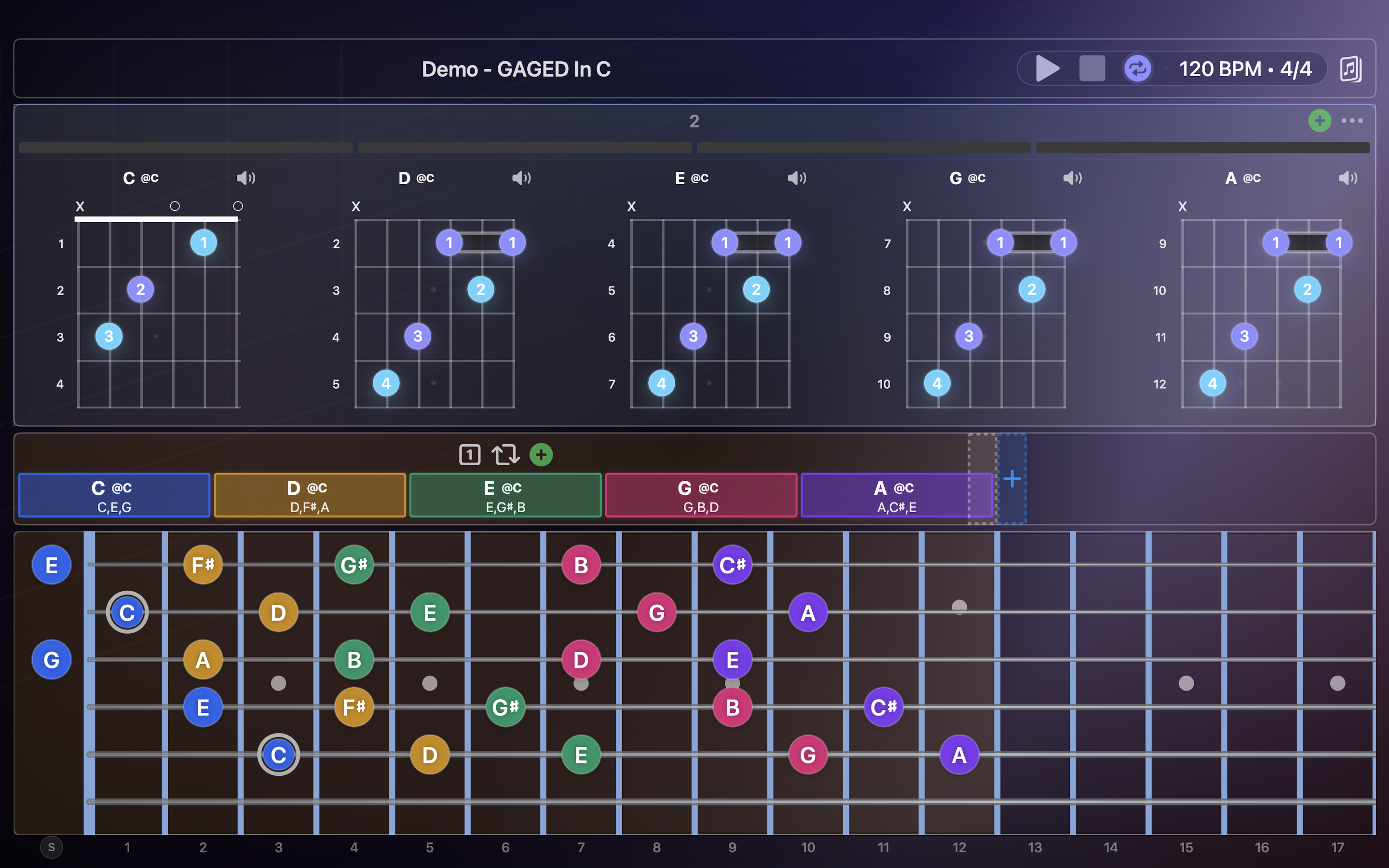
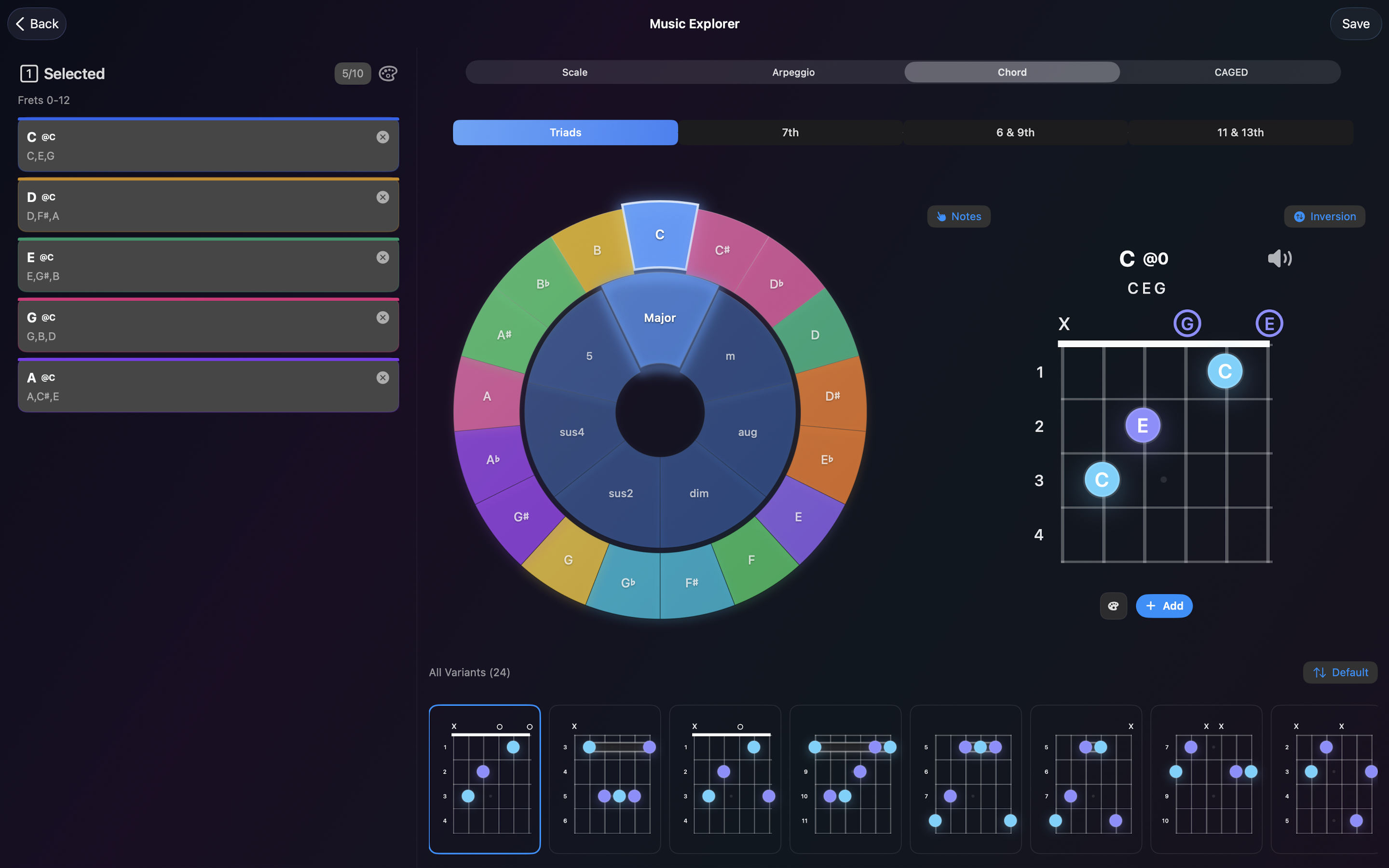
Real screens from the iOS app: music sheet + TAB playback, CAGED chord maps, and the music explorer for quick theory lookup.

Dynamic Zone and Layered System

Transform the fretboard into clean, colorful diagrams personalized for your learning style. Create custom Zones to isolate scales, chords, or arpeggios within defined fret ranges, then stack layers to build your own visual theory map.

Custom Zones

Create custom Zones on the fretboard to isolate specific layers like scales, chords, or arpeggios within defined fret ranges.

Define precise fret ranges for focused practice Color-code layers for clarity and speed Save zones as reusable presets

Layered Views

Stack chord tones, scale shapes, and target notes to build a single unified practice view.

Blend multiple scales or arpeggios Highlight approach tones and anchors Switch instantly between note names and intervals

Personalized Practice

Make every view match your playing style, practice goals, or preferred learning approach.

Customize colors and emphasis Build drill-ready views in seconds Clean, distraction-free diagrams
Music Theory + CAGED

Music Theory that clicks across the neck.

Built-in CAGED support lets you visualize how chord shapes connect across the fretboard. Explore scales (modes, pentatonics), chords (triads, sevenths, extended), and arpeggios with instant note or interval labeling.

Built-in CAGED support to connect shapes Extensive library of scales, chords, and arpeggios Switch instantly between note names and intervals

Chord Wheel Preview

Spin through voicings, spot common tones, and map shapes across positions.

Triads

Major, minor, diminished, augmented.

Sevenths

Dominant, maj7, min7, half-dim.

Extended

9ths, 11ths, 13ths, altered.

Music Sheet & Progression Builder

Write riffs, study solos, and build your own exercises with a Standard Notation + TAB editor. Auto-generate progressions by genre (12-bar Blues, Rock, Jazz) or by CAGED system, then audition thousands of chord voicings with instant audio playback.

Standard Notation + TAB

Compose with staff and TAB side by side, ideal for learning phrases and technique.

Progression Engine

Auto-generate progressions by genre or by CAGED system for fast practice sessions.

Instant Playback

Pick from thousands of chord voicings and hear everything you write in real time.

MusicXML Support

Import and export MusicXML for staff + TAB. Guitar Vista connects to workflows from Guitar Pro, MuseScore, Dorico, Sibelius, and more.

Supports standard MusicXML for staff + TAB Import files from Guitar Pro, MuseScore, Dorico, Sibelius Keep notation and fretboard views in sync
Workflow Ready

Import and Export

Export your chord progressions, zones, layers, and visual setups. One-tap import makes collaborative learning effortless.

Share presets with students or bandmates Version your practice setups in seconds Stay organized across projects

Built for Every Guitarist

From your first chord to advanced theory, Guitar Vista keeps the entire fretboard readable and responsive.

Beginners

Learn chords and scales with guided visuals.

Intermediate

Master the CAGED system and connect shapes.

Advanced

Explore voicings, substitutions, and theory.

Teachers

Create visual lessons and share them with students.